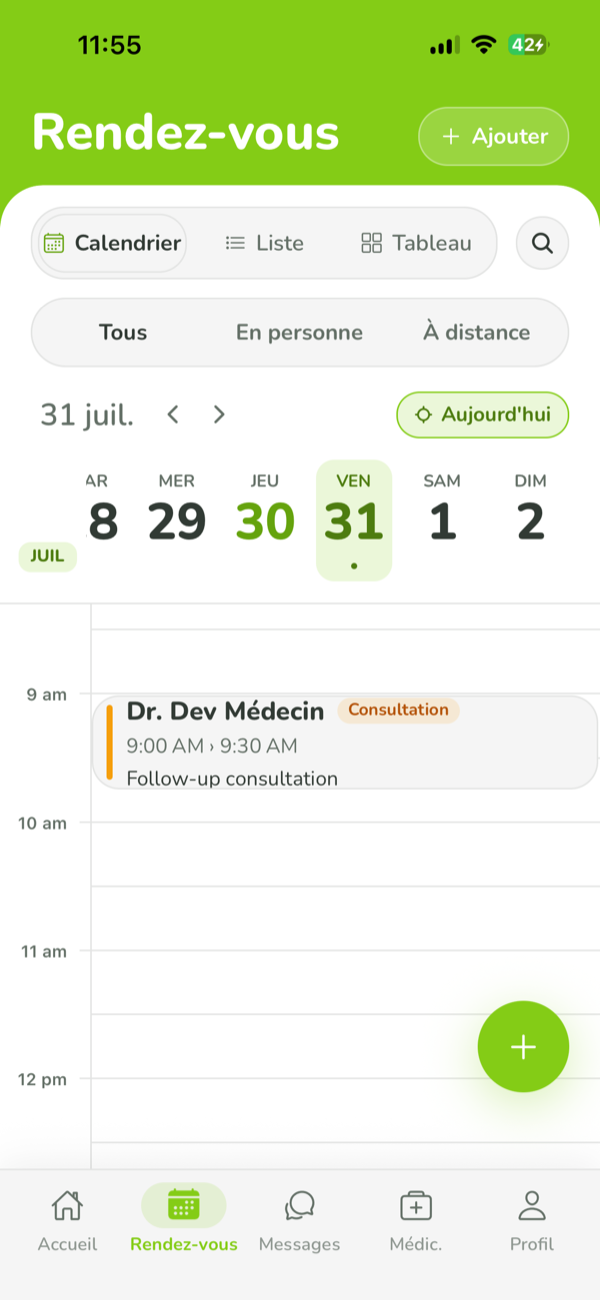
The day on one screen
Every appointment today, across all practitioners, in the order they arrive. Not one diary per doctor that has to be opened in turn to find out who is waiting.
The phone rings, someone walks in, and a third person has been waiting twenty minutes and wants to know where they stand. Doctavie gives the front desk a screen built for that minute: the whole day, the state of every patient, and booking straight from a phone number.
Practice software is judged at the front desk, not at the practitioner's desk. That is where the day is decided: who has arrived, who is waiting, who called to move an appointment, and what slot is left for the person on the phone. Doctavie's reception screen is built to be open from morning to evening and touched fifty times a day.



Every appointment today, across all practitioners, in the order they arrive. Not one diary per doctor that has to be opened in turn to find out who is waiting.
The patient calls. You type their number, they are found — or created if it is the first time — you pick the practitioner, the consultation type, the date and the length, and confirm while they are still on the line.
Three states, one click each. The practitioner sees from their desk who has arrived and how long they have been there, without anyone crossing the corridor to say so.
Move an appointment, mark a no-show, cancel with a reason. The slot is freed, the patient is notified, and the action stays on the record — the front desk does not have to wait for a consultation to end before acting.
Five assignable roles — doctor, secretary, nurse, manager, front desk — with permissions declared per practice. The desk manages appointments without opening clinical charts, and team management stays with the owner.
A slot frees up and the waitlist offers it to the next patient. "To notify" gathers the people to call back in one place, with the reason for the call — so the pile of sticky notes stops existing.
The owning practitioner creates the practice and gets verified. The front desk does not sign up on its own: it is invited.
One invitation per person, with their role and their permissions. The invite link works even for someone who has no account yet.
The reception screen opens on today. Nothing to configure: the practitioners' appointments are already there.
Arrivals, reschedules, no-shows, calls to make. At the end of the day, what was done and what is left is visible without re-entering anything.
The phone is the front door. The Console is the back of house — the web workspace where doctors, pharmacists, laboratories, imaging centres and the platform team do the work that keeps the loop honest. No app store, no install: sign in and run your practice.
Every account is verified by hand before it goes live. Patients use the app — the Console is for the people who deliver care.
Start free, upgrade as you grow. Pay monthly, or save two months a year by paying annually. Patients always use Doctavie for free — they only pay per consultation.
Blood pressure, weight, temperature: the nurse records them while the patient waits, and the practitioner opens the consultation with the vitals already entered. It is the same team role, with its own permissions — what is captured at the desk does not have to be said again in the room.
“Medical software is rarely lost on a feature. It is lost on a Tuesday morning, at the front desk, when three things happen at once.
Yes, and it is invited by the practice rather than created on its own. The owner sends an invitation, the person opens it — even with no existing account — and joins the practice with the role and permissions they were given.
Not by default. Permissions are declared per practice: managing appointments and reception is one thing, the clinical chart is another. The owner decides who has what, and can change it at any time.
Yes, for an appointment that is still pending or confirmed. The slot is freed, the patient is notified, and the reason entered stays attached to the cancellation.
How many people you can invite depends on the practice plan, and the prices are published on the pricing page. The starter plan is free and does not expire.
For the front desk and the practice team
Creating the practice is free, and team invitations go out right after.